Your Linux machine won’t boot. You have a rescue stick, a terminal, and your phone. Now you get to figure out which part of yesterday’s update broke it.
AI coding agents can read logs, inspect configuration and run commands. Those are also useful things to do when a machine is broken. So i built Agentic Rescue: a NixOS live ISO with opencode, Claude Code and Codex already installed, configured and told where they are.
Boot the stick. Mount the installed system read-only. Let the agent inspect it with you. Review the proposed repair before anything gets changed.
The agent needs to know which system it is looking at
Giving an agent a root shell is easy. Giving it the right context is the part that matters.
On a rescue stick, / is the live system. The broken installation is somewhere else. Running a command against the wrong root can give you a perfectly reasonable answer about a machine you aren’t trying to fix.
Agentic Rescue ships an AGENTS.md that explains the environment: the live root is temporary, the boot medium is at /iso, and the installed system gets mounted at /mnt. It also explains where to find package logs, how different distributions generate their initramfs, and which tools to use to enter the installed system.
The two commands you will probably use first are:
1 | rescue-mount |
rescue-mount handles finding the installation, unlocking LUKS, assembling LVM or mdadm and mounting the root. Btrfs subvolumes and ZFS pools are part of that job too. The default is read-only.
From there, you can describe the problem. An update failed. The machine drops into an emergency shell. Something changed and now the bootloader can’t find the root filesystem.
The agent has the installed system’s logs and configuration available. You can ask it to explain what it found before approving a repair. rescue-enter provides the path into the installation, using nixos-enter for NixOS and arch-chroot for other Linux systems.
The usual rescue tools are still there: smartctl, ddrescue, testdisk, cryptsetup and the filesystem utilities. You also have a shell. Sometimes the right command is already obvious.
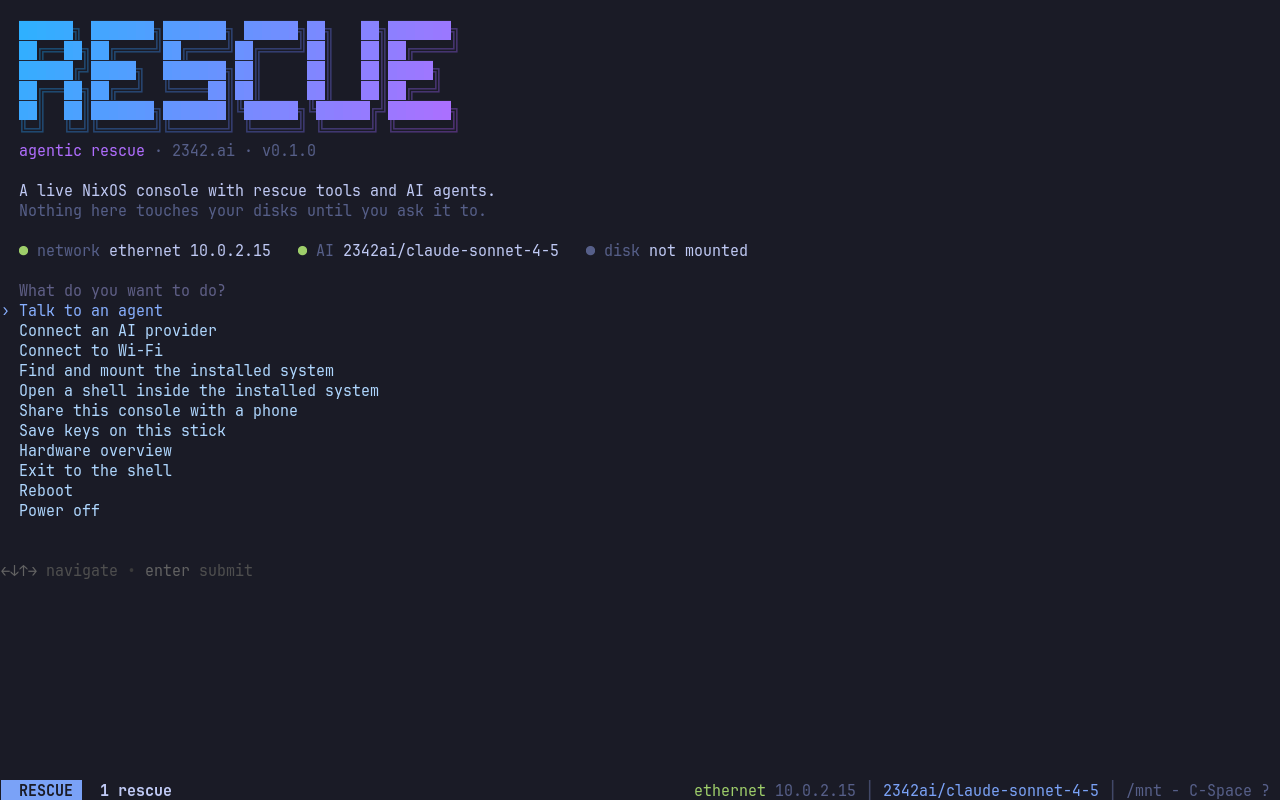
The project’s console screenshot: system status and the menu, without a desktop in the way.
Configure the ISO without rebuilding it
This is the bit i particularly like.
The image contains a file called rescue-config.json with a fixed size of 16 KiB. It holds compact JSON followed by spaces. That gives us a reserved configuration slot inside an otherwise finished ISO.
Your API key, Wi-Fi settings, SSH public key and keyboard layout fit into that slot. Replacing its contents doesn’t require rebuilding NixOS or unpacking and repacking the image.
On the download page, you choose a provider and enter your settings. With the current GitHub-hosted download, you download the ISO first, then select it on the page. JavaScript reads the ISO9660 directory, finds the slot and creates a configured copy from the original file slices and the replacement bytes.
The configuration is written locally in your browser. You don’t upload the ISO or send your key to a server to have it customised.
That also means i don’t need a build queue producing somebody’s personal rescue image every time they change their Wi-Fi password.
At boot, the configuration becomes the environment variables and configuration files the agents need. Wi-Fi settings and SSH keys get applied too. You arrive at the console with the setup already there.
There is a command-line patcher if you prefer doing this in a terminal.
Your phone is already in your hand
A broken laptop is an annoying place to type an API key. It is also an annoying place to complete a browser-based sign-in when your rescue environment is a console.
rescue-connect can show a QR code so you can enter a key from your phone over the local network. The sign-in handoff lets you open an agent’s authentication link on the phone and return the code to the rescue session.
rescue-share exposes the console in a browser on the LAN. You can follow the session from your phone instead of staying bent over the machine.
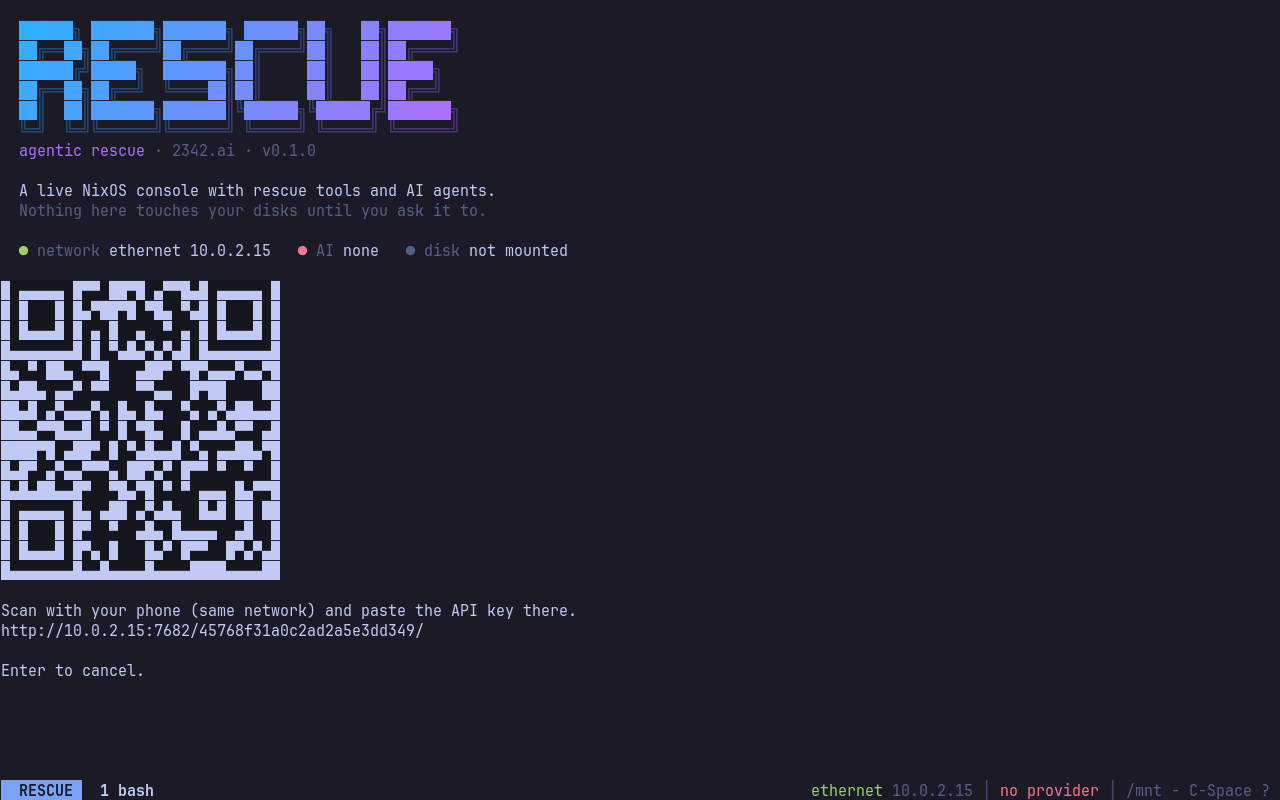
No key baked into the image? The console provides a phone handoff.
The console itself uses kmscon with JetBrains Mono and truecolor, with tmux underneath and a menu on top. There is also a boot entry without modesetting for GPUs that don’t cooperate.
Three agents, bring your model
opencode, Claude Code and Codex are included. 2342.ai provides the API formats all three need, so one key can configure all three. Direct provider keys are supported too; the project documents which provider works with which agent.
The published image needs a network connection for inference. The source also provides an offline build with a local Qwen model served by llama.cpp. That is a separate, larger image, and a small local model has different limits from a hosted one. Don’t pick it expecting identical behaviour.
The ISO is MIT licensed. Model access is whatever your chosen provider or subscription supplies.
Read-only is a starting point
The installed system is mounted read-only first. The agent instructions require diagnosis before changes, explicit approval for destructive commands, and a backup before editing a file. If disk errors suggest failing hardware, the instructions say to stop and recommend imaging the disk before attempting repairs.
These are instructions and permission settings. The agents run as root. There is no sandbox here that makes a bad repair harmless.
You still need to read the proposed commands and judge whether they make sense. A plausible explanation is not evidence that writing to a damaged filesystem is a good idea. This is the same rule i keep coming back to with AI tools: you need enough understanding to assess their output.
The key in the ISO is plain text, too. Whoever has the stick has the key. Use a separate key with a budget rather than handing out your everyday credentials.
Secure Boot is not supported by the current unsigned image.
Built with Nix
The system is defined by a Nix flake. You can build the online image yourself:
1 | nix build github:2342-ai/agentic-rescue#iso |
Building the ISO requires an x86_64 Linux builder. On a Mac, that means a configured Linux builder or a remote Linux machine.
The console and QR handoff take inspiration from omarchy-rescue. Agentic Rescue takes that idea to a NixOS live system intended for rescuing multiple distributions, and adds the configuration slot.
You can get the image at rescue.2342.ai and the source at 2342-ai/agentic-rescue. Try it on a spare machine or a VM. Show it a broken installation, read what it finds, and check what it wants to do next.